
What is Remote Desktop Services (RDS) in 2026
Remote work, hybrid offices, and centralized IT management have become standard for businesses in 2026. Organizations need a secure way to provide employees, contractors, and support teams with access to Windows desktops and business applications from virtually anywhere. This is where remote desktop service plays a vital role.
Whether you're a small business, a growing enterprise, or an educational institution, understanding how remote desktop service works, its licensing requirements, and its benefits can help you build a secure and cost-effective IT environment.
Why Use Remote Desktop Services (RDS)?
Remote Desktop Services (RDS) enables businesses to securely access Windows desktops and applications from anywhere. It centralizes IT management, improves data security, reduces hardware and maintenance costs, and supports multiple users on a single Windows Server. Using a Genuine Windows Server CAL License helps ensure compliant access and reliable performance. RDS is an ideal solution for remote work, hybrid workplaces, and organizations that need scalable and secure access to business applications.
What Changed in 2026?
In 2026, Remote Desktop Services (RDS) continues to be a trusted solution for delivering Windows desktops and applications, but the way businesses deploy and manage RDS has evolved. As hybrid work, cloud integration, and cybersecurity requirements have increased, organizations now focus on building more secure, scalable, and high-performance RDS environments. Modern deployments often combine on-premises Windows Server infrastructure with cloud services, advanced security controls, and centralized management tools to meet today's business needs.
Key changes shaping RDS in 2026 include:
Greater Hybrid Work Adoption: Businesses now expect employees to securely access desktops and applications from any location and on multiple devices.
Stronger Security Requirements: Multi Factor Authentication (MFA), Network Level Authentication (NLA), encrypted connections, and Remote Desktop Gateway have become standard security practices for protecting remote access.
Cloud-Integrated Deployments: Many organizations are integrating RDS with cloud services such as Microsoft Azure for improved scalability, disaster recovery, and easier infrastructure management.
Improved Performance Optimization: IT teams increasingly use modern storage, virtualization, GPU acceleration, and load balancing to deliver faster and more responsive remote desktop sessions.
More Strategic Licensing Management: With growing remote workforces, businesses are carefully selecting User CALs or Device CALs to optimize costs while maintaining Microsoft licensing compliance.
Focus on Business Continuity: Organizations now design RDS environments with high availability, backup, and failover capabilities to minimize downtime and ensure uninterrupted access to business critical applications.
These developments make Remote Desktop Services more secure, flexible, and scalable than ever, enabling businesses to support modern work environments while maintaining centralized IT control and Microsoft licensing compliance.
How Does Remote Desktop Service Work?
A typical remote desktop service environment consists of Windows Server, Remote Desktop Session Host (RDSH), licensing servers, and secure gateways. To better understand the platform behind RDS, it's helpful to read Windows Server Explained: Uses, Features and Versions.
The basic workflow includes:
A user launches the Remote Desktop client.
Authentication verifies the user's credentials.
The connection passes through a secure Remote Desktop Gateway (if configured).
The user receives a remote desktop session or published application.
All applications and data remain on the server while only keyboard, mouse, and display information travels across the network.
This centralized approach improves security, simplifies IT administration, and makes remote access more efficient for businesses.
Why Businesses Use Remote Desktop Service in 2026
Modern organizations continue choosing remote desktop service because it delivers flexibility, security, and operational efficiency.
Some major benefits include:
Secure remote access from anywhere
Centralized application management
Lower hardware costs
Easier software deployment
Improved business continuity
Better IT control
Simplified maintenance
Scalable infrastructure
Support for hybrid work
Reduced downtime
These advantages make remote desktop service an excellent solution for companies of all sizes.
Understanding Remote Desktop Licensing
One of the most important aspects of an RDS deployment is remote desktop licensing. Microsoft requires organizations to purchase Remote Desktop Services Client Access Licenses (RDS CALs) in addition to Windows Server licenses.
Without proper remote desktop licensing, users may only receive temporary access before connections are denied. Businesses should plan their licensing carefully to remain compliant and avoid unexpected service interruptions. If you're deploying a new environment, it's also useful to learn How to enable Remote Desktop Services in Windows Server 2025 before configuring users and licenses.
Types of Remote Desktop Licensing
Microsoft offers two primary licensing models for organizations using Remote Desktop Services. Choosing the right Windows Server Client Access License helps ensure users or devices are properly licensed while maintaining compliance with Microsoft's licensing requirements.
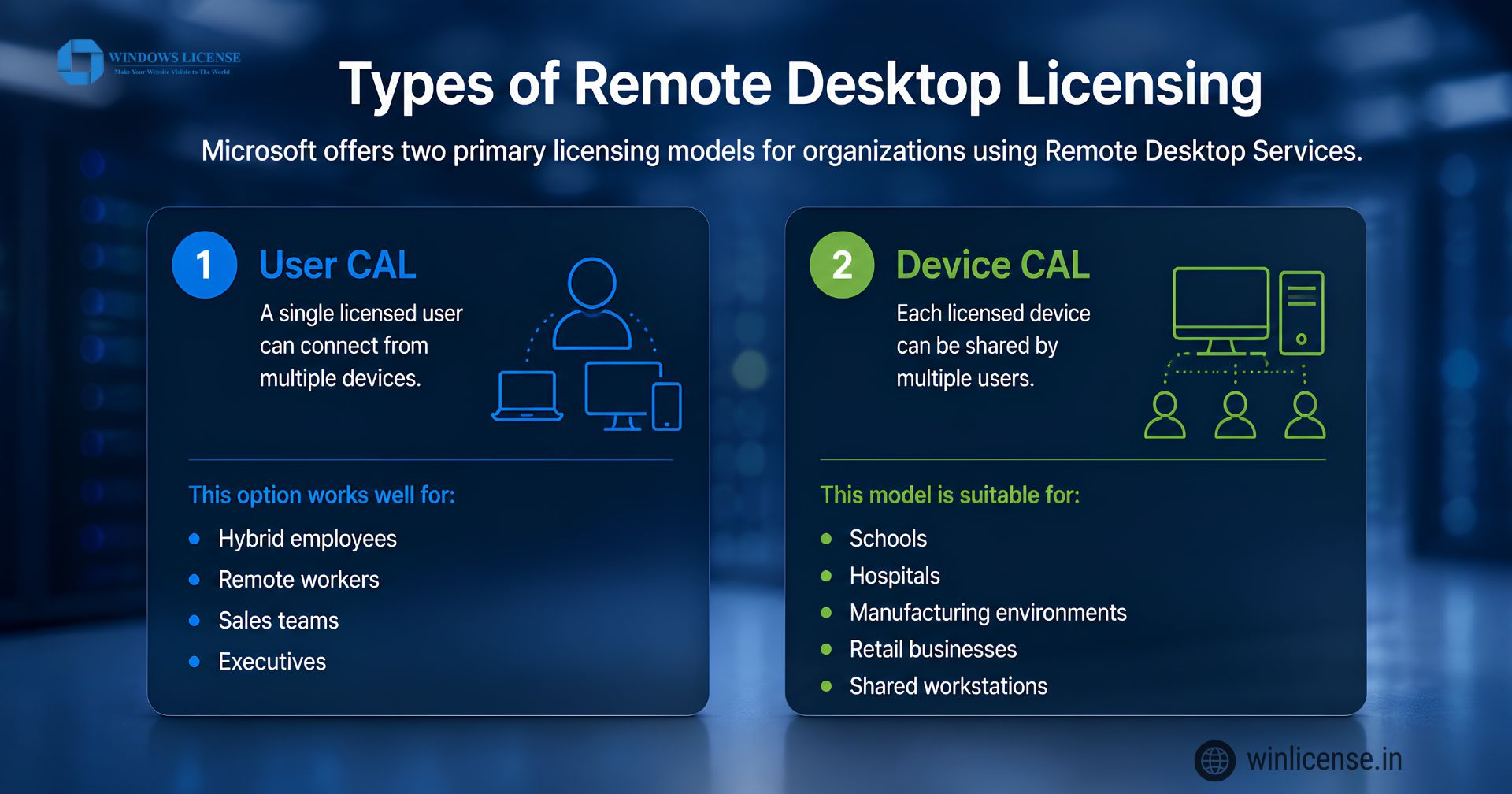
1. User CAL
A single licensed user can connect from multiple devices.
This option works well for:
Hybrid employees
Remote workers
Sales teams
Executives
Many organizations choose remote desktop licensing based on User CALs because employees often use laptops, desktops, tablets, and mobile devices.
2. Device CAL
Each licensed device can be shared by multiple users.
This model is suitable for:
Schools
Hospitals
Manufacturing environments
Retail businesses
Shared workstations
Selecting the right remote desktop licensing model depends on how employees access company resources.
Remote Desktop Services Features
Microsoft continues improving Remote Desktop Services with better performance and security.
Popular features include:
Multi user Windows sessions
RemoteApp publishing
Secure HTTPS connections
Printer redirection
Clipboard sharing
Drive mapping
GPU acceleration support
Azure integration
Multi factor authentication
High availability support
These features help organizations deliver a seamless remote working experience.
Security Best Practices for Remote Desktop Services
Protecting remote access is essential.
Follow these recommendations:
Enable Multi Factor Authentication (MFA)
Use Remote Desktop Gateway
Keep Windows Server updated
Apply strong password policies
Restrict administrator access
Monitor login attempts
Enable Network Level Authentication (NLA)
Use VPN where appropriate
Review user permissions regularly
Monitor server performance
A secure deployment protects sensitive business information and reduces cybersecurity risks.
Remote Desktop Services vs Traditional Office PCs
Feature | Remote Desktop Services | Traditional PCs |
Remote Access | Yes | Limited |
Centralized Management | Yes | No |
Easy Software Updates | Yes | No |
Data Stored on Server | Yes | No |
Multi-user Support | Yes | No |
Lower Maintenance | Yes | No |
Better Scalability | Yes | Limited |
Why Choose WinLicense for Remote Desktop Services (RDS)?
Choosing the trusted Microsoft licensing partner is just as important as selecting the right RDS solution. WinLicense helps businesses purchase genuine Microsoft licenses with expert guidance and reliable support.
100% Genuine Microsoft Licenses for Windows Server and RDS CALs.
Expert Licensing Guidance to help you choose the right User CAL or Device CAL.
Fast Digital Delivery with activation details sent via email.
Competitive Pricing for businesses of all sizes.
Dedicated Customer Support before and after your purchase.
Microsoft Licensing Compliance to help your organization stay properly licensed.
Trusted by Businesses Across India for reliable Microsoft software licensing.
Whether you're deploying a new Remote Desktop Services environment or expanding an existing one, WinLicense provides genuine Microsoft licensing solutions to help your business stay secure, compliant, and productive.
Ready to Deploy Remote Desktop Services?
Whether you're setting up a new RDS environment or expanding your existing infrastructure, WinLicense provides genuine Microsoft Windows Server and RDS CAL licenses at competitive prices. Need help choosing the right RDS license? Contact the WinLicense team today for expert guidance, fast digital delivery, and reliable support. Explore our Windows Server and Remote Desktop licensing solutions to get started.
For official technical guidance, deployment recommendations, and best practices, visit Microsoft's Remote Desktop Services documentation. It provides comprehensive information on RDS architecture, configuration, security, and management to help you deploy and maintain a reliable remote desktop environment.
Frequently Asked Questions
1. What are Remote Desktop Services used for?
Remote Desktop Services (RDS) are used to provide secure remote access to Windows desktops, applications, and business resources over a network or the internet. Organizations use RDS to support remote work, publish business applications, centralize IT management, reduce hardware costs, and allow multiple users to connect to a single Windows Server. It is widely used in businesses, healthcare, education, manufacturing, and government environments.
2. Should I disable Remote Desktop Services?
You should only disable Remote Desktop Services if your organization does not require remote access or the service is no longer in use. Keeping unused remote access services disabled can reduce the attack surface and improve security. If RDS is required, protect it with Multi-Factor Authentication (MFA), Network Level Authentication (NLA), strong passwords, firewalls, and regular security updates instead of disabling it.
3. What is the RDS service?
RDS (Remote Desktop Services) is a Microsoft Windows Server role that enables users to securely connect to remote desktops and applications hosted on a server. It allows multiple users to work simultaneously on the same server while accessing files and business software as though they were using a local computer. RDS is commonly deployed to support remote employees, centralized application delivery, and hybrid work environments.
4. Is Remote Desktop Services safe?
Yes, Remote Desktop Services can be a secure remote access solution when configured correctly. Microsoft recommends enabling Multi-Factor Authentication (MFA), Network Level Authentication (NLA), Remote Desktop Gateway, encrypted connections, and regular Windows Server updates. Organizations should also limit user permissions, monitor login activity, and use strong password policies to protect sensitive business data from unauthorized access.
5. What is RDP full form?
RDP stands for Remote Desktop Protocol. It is Microsoft's proprietary communication protocol that allows users to securely connect to and control a remote Windows computer or server over a network. Remote Desktop Services (RDS) uses RDP to deliver remote desktop sessions and published applications while encrypting communication between the client device and the server.
6. Is Remote Desktop necessary?
Remote Desktop is not necessary for every organization, but it is highly beneficial for businesses that support remote employees, hybrid work, centralized application hosting, or IT administration. It enables secure access to Windows desktops and business applications from virtually anywhere while simplifying software management and reducing infrastructure costs. For organizations with remote access needs, RDS is often one of the most efficient and scalable solutions.
Copyright ©2026 Microsoft. All Rights Reserved