
Windows Server User CAL Uses & Benefits
Microsoft Windows Server is widely used to host applications, files, databases, virtual machines, directory services, and business workloads. When employees or other users need to access services running on a Windows Server environment, licensing becomes an important part of a compliant IT setup.
A Windows Server User CAL is designed to license access for an individual user rather than a specific device. This model can be especially useful when one employee works from multiple computers, laptops, or other supported devices.
Choosing the right Windows Server licensing model requires more than comparing prices. Organizations should consider how users work, how many devices they use, the server services they access, and the licensing rules that apply to their environment. A Windows Server User CAL can be a practical fit when access follows people rather than fixed endpoints.
Quick Overview
Factor | User CAL |
Licensing basis | Individual user |
Best suited for | Users who access servers from multiple devices |
Main purpose | Authorize a user to access licensed Windows Server services |
Typical environment | Business networks, remote work, mixed-device workplaces |
Key consideration | Every applicable accessing user generally needs the appropriate CAL |
A Windows Server CAL is not the Windows Server operating system license itself. Instead, it is an access license associated with the rights to access Windows Server functionality under Microsoft's licensing terms.
What Is a Windows Server User CAL?
A Windows Server User CAL is a client access license assigned to a particular user. It allows that licensed user to access the relevant Windows Server services from multiple devices, subject to the applicable Microsoft licensing terms.
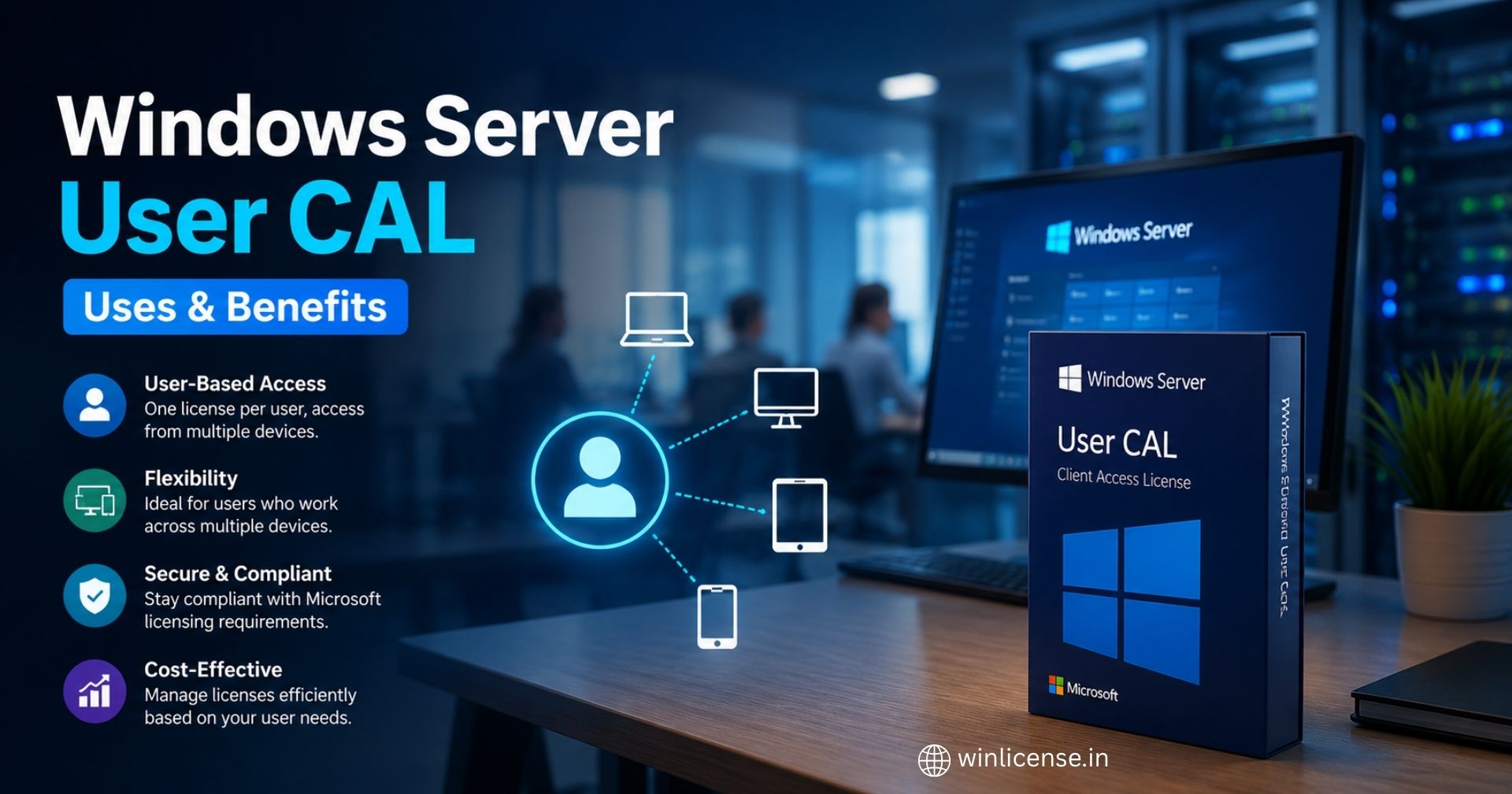
For example, imagine an employee who uses a desktop at the office, a laptop while travelling, and another device when working remotely. A user based licensing model can be more practical than licensing every device individually when the same person regularly accesses the server environment.
Organizations should also distinguish between the Windows Server license installed on the server and the access licenses required for users or devices. The server license covers the server software, while CALs address access rights.
Why Is User Based Licensing Important?
The right licensing model can simplify administration and make licensing costs easier to plan. A business with employees using several devices may find user based licensing easier to manage than tracking every endpoint.
A user based access license can be particularly useful when employees regularly move between workstations, laptops, and other devices.
Key Advantages
User focused management: Licenses can be assigned to people instead of tracking individual endpoints.
Multi device flexibility: A licensed user can access the server from multiple devices, where permitted by the applicable license terms.
Simpler administration: IT teams can manage licensing around the organization's user structure.
Better fit for mobile work: Employees who work from different locations and devices can benefit from a user oriented model.
Scalability: Adding employees can be easier to plan when licensing is aligned with user counts.
User CAL vs Device CAL
Microsoft generally provides user based and device based CAL models for Windows Server. The better option depends on how people and devices interact with the server environment.
Comparison | User CAL | Device CAL |
Assigned to | A user | A device |
Multiple devices per user | Suitable | Each accessing device may require coverage |
Multiple users per device | Less suitable when many users share one device | Often more suitable |
Ideal environment | Users with multiple devices | Shared workstations or terminals |
Management approach | Track licensed users | Track licensed devices |
A Windows Server CAL based on users may be a better fit for organizations where employees have individual laptops, desktops, tablets, or other devices. A device-based model can make more sense when several people share the same workstation.
The decision should be based on actual usage patterns rather than simply choosing the cheaper option.
When Should You Choose a User CAL?
Consider a user based CAL model when:
Employees use more than one device to access company resources.
Staff frequently switch between office and remote-work devices.
IT wants licensing administration aligned with user accounts.
A smaller group of employees accesses server resources from many endpoints.
The organization has a predictable number of server users.
Practical Example
Suppose a company has 40 employees who access a Windows Server environment. Each employee uses a desktop and laptop, and some also work from another device.
Licensing every device may require the company to maintain coverage across a larger number of endpoints. A user-oriented model can instead align access licensing with the 40 users, provided the specific Microsoft licensing terms and server configuration permit that approach.
Windows Server CAL Requirements
A Windows Server CAL generally works alongside a properly licensed Windows Server environment. Organizations should verify the version and licensing program that applies to their deployment before purchasing.
Important considerations include:
Server version: Confirm which Windows Server version is deployed.
User or device count: Identify the people or devices that require access.
Access method: Review whether users connect directly, remotely, or through another service.
Additional technologies: Some Microsoft services and server roles can have separate licensing requirements.
Edition and licensing program: Check the applicable Microsoft Product Terms and licensing agreement.
Version compatibility: Make sure the CAL version is appropriate for the Windows Server version being accessed.
A Windows Server CAL should not be treated as a replacement for the underlying server license. Both parts of the licensing structure need to be evaluated.
Windows Server User CAL for Remote Access
Remote work has made server access more distributed. Employees may connect to file shares, applications, authentication services, or other resources from outside the office.
A Windows Server User CAL can support a user-centric licensing approach for eligible Windows Server access. However, Remote Desktop Services (RDS) has additional licensing requirements. An organization using RDS should evaluate the appropriate RDS CAL requirements separately rather than assuming a standard Windows Server CAL covers all remote desktop scenarios.
For organizations specifically looking for RDS access licensing, see the Windows Server 2025 RDS 1 User CAL as a related option.
Benefits of Using Genuine Licensing
Using properly sourced licenses helps organizations maintain a clear licensing position and reduce avoidable compliance risks.
Key benefits include:
Licensing clarity: Easier tracking of what has been purchased and assigned.
Operational confidence: Businesses can manage server environments with documented licensing.
Audit readiness: Organized records make it easier to demonstrate licensing compliance.
Reduced risk: Genuine licensing helps avoid problems associated with unauthorized or improperly sourced software.
Better procurement control: IT teams can maintain consistent purchasing and renewal processes.
For organizations evaluating licensing options, the Windows Server Client Access License category provides a useful starting point for comparing available CAL products.
Expert Tips for Windows Server Licensing
An experienced IT administrator should evaluate licensing from the perspective of actual access, not only the number of computers in the office.
1. Map Users and Devices
Create a simple inventory showing who accesses Windows Server resources and which devices they use.
2. Separate Standard Server Access from RDS
Do not assume a standard CAL automatically covers every remote access technology. Review RDS and other additional licensing requirements independently.
3. Record License Assignments
Maintain a current list of licensed users, server versions, purchase records, and applicable agreements.
4. Review Licensing After Organizational Changes
Mergers, new employees, remote work policies, and device changes can affect licensing requirements.
5. Use Authoritative Licensing Information
Microsoft Product Terms and the relevant licensing agreement should be treated as the primary sources for compliance decisions. Product listings can help with purchasing, but they should not replace Microsoft's licensing documentation.
Common Mistakes to Avoid
Even a correctly purchased Windows Server CAL can create confusion if it is assigned or managed incorrectly.
Common mistakes include:
Counting devices when a user based model is being used.
Assuming the server license alone covers all access.
Treating RDS licensing as identical to standard server access licensing.
Failing to check the Windows Server version.
Not keeping purchase and assignment records.
Buying licenses without reviewing the organization's actual access pattern.
Assuming every Microsoft server product follows the same CAL rules.
Pros and Cons
Pros | Cons |
Convenient for users with multiple devices | May be less suitable for shared-device environments |
User-focused administration | Requires accurate user tracking |
Works well with mobile and hybrid work patterns | Licensing terms still need careful review |
Can simplify planning for predictable user counts | Additional services may require additional licenses |
Pricing and Cost Considerations
The cost of Windows Server access licensing varies based on factors such as the license version, purchasing channel, licensing program, and quantity required.
Rather than choosing a product only by price, calculate the total number of users or devices that need coverage and compare that with the operational model. Businesses should also account for additional licensing requirements when using technologies such as Remote Desktop Services.
For a deeper explanation of purchasing genuine CAL licenses, consider this related resource: Genuine Windows Server CAL License for Secure Server Access.
Latest Licensing Considerations
Windows Server licensing can change as Microsoft introduces new server versions, licensing programs, and product terms. Before purchasing, verify the current Product Terms and the terms applicable to your organization's agreement.
For Windows Server 2025 deployments, organizations should pay particular attention to the server version and the corresponding access licensing requirements. Avoid relying solely on older licensing guides because rules and product versions can change.
Conclusion
Choosing the right access licensing model is an important part of managing a compliant Windows Server environment. A Windows Server User CAL can be a practical choice for organizations where individual employees access server resources from multiple devices. Working with a Microsoft authorized reseller in india can also help businesses choose the appropriate licensing option and purchase genuine Microsoft licenses.
Before purchasing, evaluate the number of users, devices, server version, access methods, and any additional services involved. Keep licensing records up to date and use Microsoft's current Product Terms as the authoritative reference for licensing decisions.
If you are comparing products, reviewing the Windows Server Client Access License range can help you identify an option that matches your organization's requirements. For specific deployments, verify the licensing details against your Microsoft agreement before completing a purchase.
Get the Right Windows Server CAL for Your Business
Choosing the right access licensing model is an important part of managing a compliant Windows Server environment. A Windows Server User CAL can be a practical choice for organizations where individual employees access server resources from multiple devices.
Contact us today to find the right Windows Server CAL for your business requirements and ensure your server environment is properly licensed.
For additional licensing guidance, you can also review Microsoft's official Windows Server licensing information.
Frequently Asked Questions
1. What is a Windows Server User CAL?
A Windows Server User CAL is a Client Access License that grants a specific user the right to access services and resources on a properly licensed Windows Server, subject to Microsoft's licensing terms. It is assigned to the user rather than a particular device, making it useful for employees who access server resources from multiple computers or devices.
2. What is the difference between a User CAL and a Device CAL?
The main difference is what the license is assigned to. A User CAL is assigned to an individual user, while a Device CAL is assigned to a specific device. User CALs are generally more suitable when one employee uses multiple devices, whereas Device CALs can be practical when multiple employees share the same workstation or terminal.
3. How many Windows Server User CALs does a business need?
The required number generally depends on the number of users who need access to the applicable Windows Server services. For example, if 25 employees require server access, the organization would typically need appropriate coverage for those 25 users. However, Microsoft licensing terms and specific server services should always be reviewed before determining the final requirement.
4. Can a Windows Server User CAL be used on multiple devices?
Yes, a User CAL is designed around the licensed user, rather than one specific device. This makes the model suitable for employees who access Windows Server resources from a desktop, laptop, or other devices. The exact rights and limitations depend on the applicable Microsoft licensing terms.
5. Does a Windows Server User CAL include Remote Desktop Services (RDS)?
No. A standard Windows Server CAL and an RDS CAL are separate licensing requirements. If users need to access Windows Server through Remote Desktop Services, the organization generally needs the appropriate Windows Server CAL as well as the required RDS CAL, subject to Microsoft's licensing rules.
6. How can I choose the right Windows Server CAL for my business?
Start by identifying the number of users, number of devices, server version, and services being accessed. A User CAL can be a good fit when employees use multiple devices, while a Device CAL may be more appropriate for shared workstations. Businesses should also check Microsoft's current Product Terms and licensing agreement to confirm the requirements for their specific environment.
Copyright ©2026 Microsoft. All Rights Reserved