
How Windows 11 Enterprise Improves Security and Business Productivity
Businesses today face constant cyber threats, increasing compliance requirements, and the need to support hybrid workforces. Choosing the right operating system is no longer just an IT decision it directly impacts security, productivity, and long term business growth. Windows 11 Enterprise is designed to meet these challenges by combining advanced security, intelligent management, and modern collaboration tools in one platform.
Whether you're upgrading existing devices or deploying new systems across your organization, this business focused edition provides the protection and performance required for today's workplaces. Organizations that manage specialized devices can also benefit from Windows 11 IoT Enterprise, which offers enterprise-grade security and long-term support for dedicated hardware.
Why Businesses Choose Windows 11 Enterprise
Modern organizations require an operating system that protects sensitive information while enabling employees to work efficiently from any location. Windows 11 Enterprise delivers enterprise level security, simplified device management, and enhanced user experiences that help businesses remain productive without compromising data protection.
Key advantages include:
Enterprise grade security features
AI powered productivity enhancements
Support for hybrid and remote work
Centralized device management
Advanced identity protection
Seamless Microsoft ecosystem integration
Improved application compatibility
Enhanced performance on modern hardware
These capabilities make it suitable for businesses of all sizes, from startups to large enterprises.
Advanced Security Built for Modern Threats
Cybersecurity remains one of the biggest concerns for organizations. Unlike standard operating systems, Windows 11 Enterprise includes multiple layers of built in protection that work together to reduce the risk of cyberattacks.
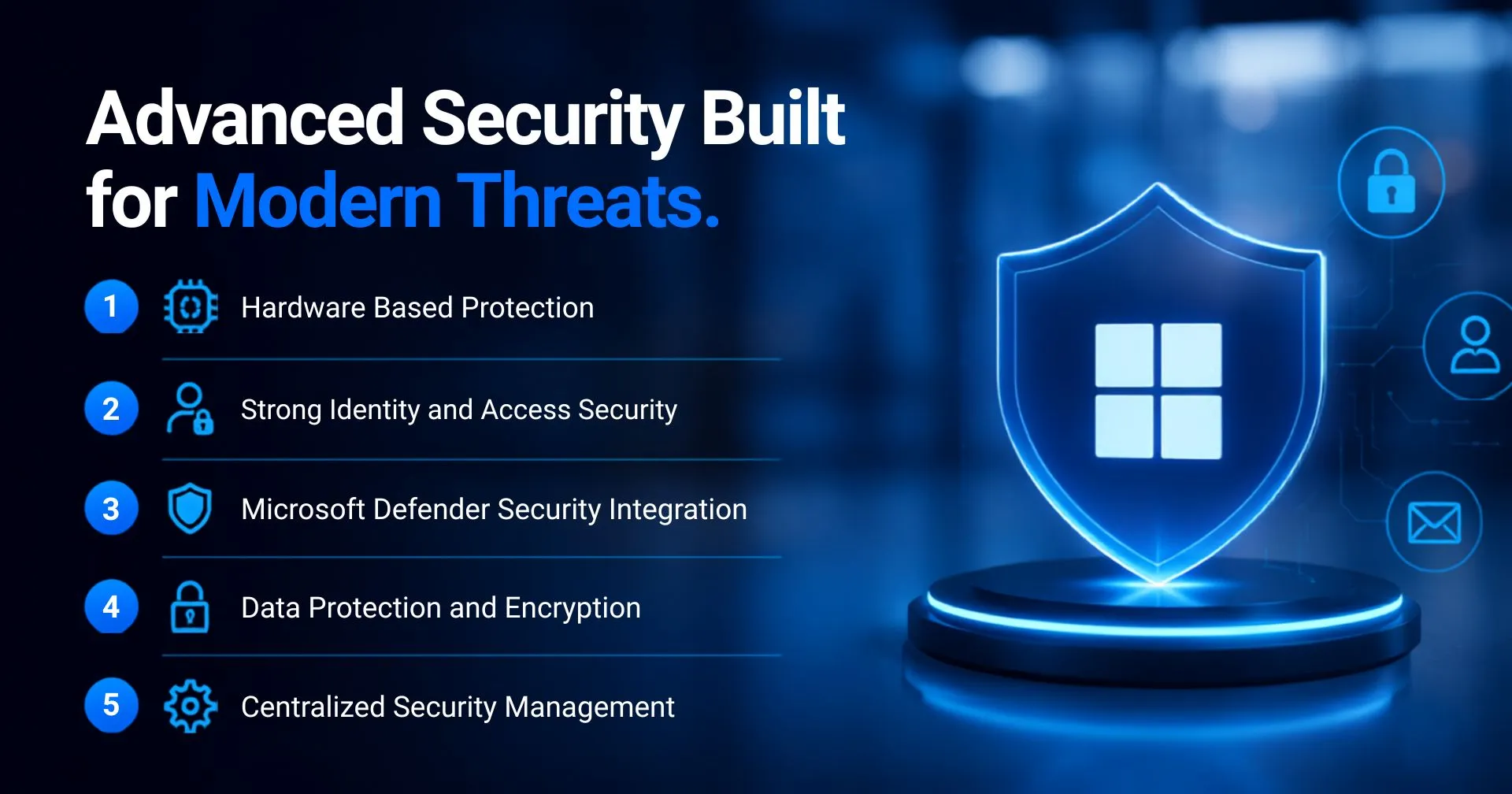
1. Hardware Based Protection
Modern hardware security forms the foundation of a secure operating system.
Important technologies include:
Trusted Platform Module (TPM 2.0)
Secure Boot
Virtualization-Based Security (VBS)
Hypervisor Protected Code Integrity (HVCI)
These features help prevent malware, ransomware, and unauthorized system modifications before they can affect business operations.
2. Strong Identity and Access Security
Protecting user identities is just as important as protecting devices.
Businesses can secure employee access through:
Windows Hello for Business
Multi factor authentication
Microsoft Entra ID integration
Passwordless authentication
Conditional access policies
These technologies reduce the risk of credential theft while providing employees with faster and more secure sign in experiences.
3. Microsoft Defender Security Integration
A strong endpoint security solution is essential for protecting business devices against modern cyber threats. Windows 11 Enterprise includes built-in integration with Microsoft Defender, providing real-time threat detection and advanced protection without requiring additional security software.
4. Data Protection and Encryption
Protecting sensitive business information is critical, especially when employees work remotely or travel with company devices. Windows 11 Enterprise includes advanced encryption technologies that help prevent unauthorized access to confidential data.
5. Centralized Security Management
Managing security across multiple business devices becomes easier with centralized administration tools available in Windows 11 Enterprise. IT administrators can configure security policies, deploy updates, monitor device health, and enforce compliance from a single management platform.
Integration with Microsoft Intune, Microsoft Endpoint Manager, and Group Policy allows organizations to automate security settings, control application access, and ensure every connected device follows company security standards. This centralized approach simplifies IT operations while maintaining consistent protection across the entire organization.
Improved Business Productivity
Productivity is another major advantage of Windows 11 Enterprise. The operating system introduces several improvements that help employees complete tasks more efficiently. Businesses looking to Buy Windows Server Online can also benefit from pairing Windows 11 Enterprise with Windows Server to create a secure, high-performance, and well managed IT environment.
1. Better Multitasking
Employees often work across multiple applications simultaneously. Productivity features include:
Snap Layouts
Snap Groups
Multiple virtual desktops
Improved window management
Faster application switching
These enhancements simplify daily workflows and improve multitasking across different business applications.
2. Better Collaboration
Organizations using Microsoft collaboration tools benefit from deeper integration.
Employees can easily work with:
Microsoft Teams
Microsoft 365
OneDrive
Outlook
SharePoint
This creates a connected workspace that supports communication, document sharing, and real-time collaboration.
3. Simplified IT Management
Managing hundreds or even thousands of devices becomes easier with centralized administration.
IT teams can deploy updates, configure security settings, and monitor devices using solutions such as:
Microsoft Intune
Group Policy
Windows Autopilot
Microsoft Endpoint Manager
These tools reduce manual work while ensuring devices remain compliant with organizational security standards.
4. Enhanced Data Protection
Data security extends beyond antivirus software.
Business devices benefit from:
BitLocker Drive Encryption
Microsoft Defender Antivirus
Microsoft Defender SmartScreen
Device Encryption
Application Control
These technologies help protect confidential company information even if a laptop is lost or stolen.
5. Support for Hybrid Work
Remote and hybrid work environments require secure access from virtually anywhere.
Windows 11 Enterprise supports hybrid work through:
Secure VPN compatibility
Cloud based management
Remote desktop capabilities
Identity based access control
Zero Trust security principles
Employees can remain productive whether working from the office, home, or while traveling.
Understanding Windows 11 IoT Enterprise
While traditional office computers benefit from Windows 11 Enterprise, businesses operating dedicated devices may require Windows 11 IoT Enterprise.
This edition is designed specifically for specialized hardware such as:
Digital signage
Medical equipment
Manufacturing systems
Industrial automation
Retail kiosks
Point of sale terminals
Self service machines
Unlike consumer editions, Windows 11 IoT Enterprise provides long term servicing options, device lockdown capabilities, and extended lifecycle support that are essential for embedded systems.
Organizations deploying fixed function devices often select Windows 11 IoT Enterprise because it delivers enterprise level security while allowing administrators to customize the operating system for dedicated business applications.
Understanding Windows 11 Enterprise LTSC 2024
Windows 11 Enterprise LTSC 2024 (Long Term Servicing Channel) is a specialized edition of Windows designed for organizations that require maximum stability, long-term support, and minimal feature changes. Unlike the standard Windows 11 Enterprise release, which receives regular feature updates, the LTSC version focuses on security, reliability, and consistent performance for mission-critical systems.
This edition is ideal for devices that perform dedicated tasks and must remain operational without frequent software changes. Industries such as healthcare, manufacturing, banking, retail, and government often choose LTSC because it reduces the risk of compatibility issues caused by major feature updates.
Long-term stability and reliability
Regular security updates
No frequent feature updates
Advanced built in security
BitLocker Drive Encryption
Microsoft Defender protection
Who Should Choose Windows 11 Enterprise?
This edition is an excellent choice for organizations that require stronger security and centralized IT management.
It is ideal for:
Small and medium businesses
Large enterprises
Educational institutions
Financial organizations
Healthcare providers
Manufacturing companies
IT service providers
Government organizations
Businesses that require advanced endpoint protection, compliance, and simplified device administration can significantly benefit from upgrading.
Buy Genuine Microsoft Licenses from WinLicense
Choosing an authorized licensing partner is just as important as selecting the right operating system. Purchasing genuine Microsoft licenses ensures you receive authentic software, ongoing updates, and access to official support.
Get genuine Microsoft licenses at competitive prices with expert guidance, fast delivery, and dedicated support. Contact WinLicense today!
Frequently Asked Questions
1. What is Windows 11 Enterprise?
Windows 11 Enterprise is a business edition of Windows with advanced security, management, and productivity features.
2. Is Windows 11 Enterprise more secure than Windows Pro?
Yes. It includes enterprise grade security, identity protection, and centralized management tools.
3. What is Windows 11 IoT Enterprise used for?
It is designed for dedicated devices like kiosks, POS systems, digital signage, and industrial equipment.
4. What is Windows 11 Enterprise LTSC 2024?
It is a long term support version built for stability, security, and mission critical devices.
5. Can Windows 11 Enterprise support remote work?
Yes. It offers secure remote access, cloud management, and Microsoft 365 integration.
6. Where can I buy genuine Windows 11 Enterprise licenses?
You can buy genuine Microsoft licenses from WinLicense with expert support and competitive pricing.
Copyright ©2026 Microsoft. All Rights Reserved